We're sorry to see you go!
Whenever possible, we strive to provide you with the best possible customer experience. We'd love to hear from you if there's anything we can do to keep you happily with us.
Cancelling A Product Or Service
Hostropics lets you cancel products or services at any time. Please refer to our Refund and Payment Policy prior to doing so.
Here's how to cancel a product or service:
1) Go to the hostropics.com Client Area by pressing the login button at the top of any page or by visiting https://www.hostropics.com/panel/clientarea.php and log in:
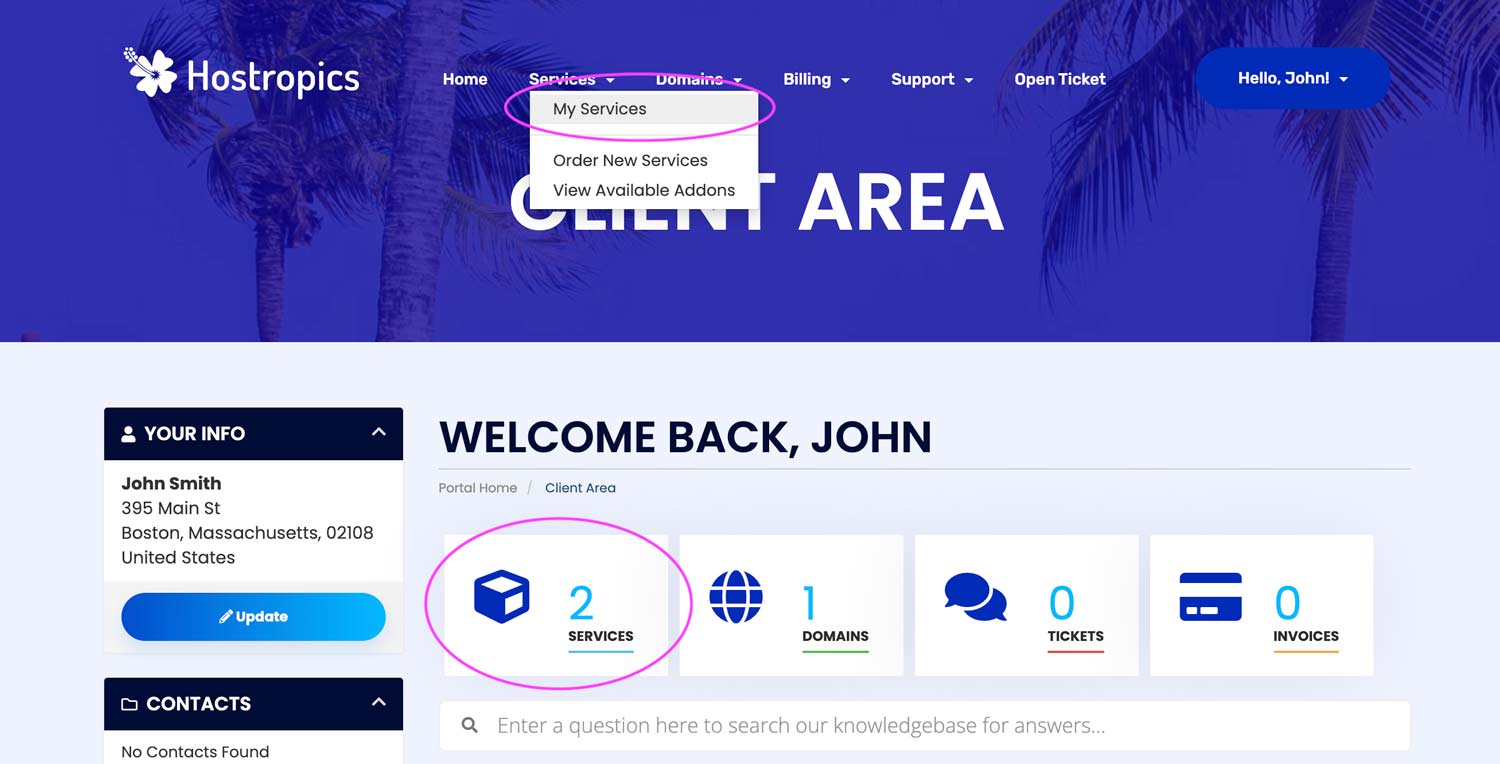
2) Click on "Services" in the top navigation menu and select "My Services". Alternatively, you can click the Services block in the client area.
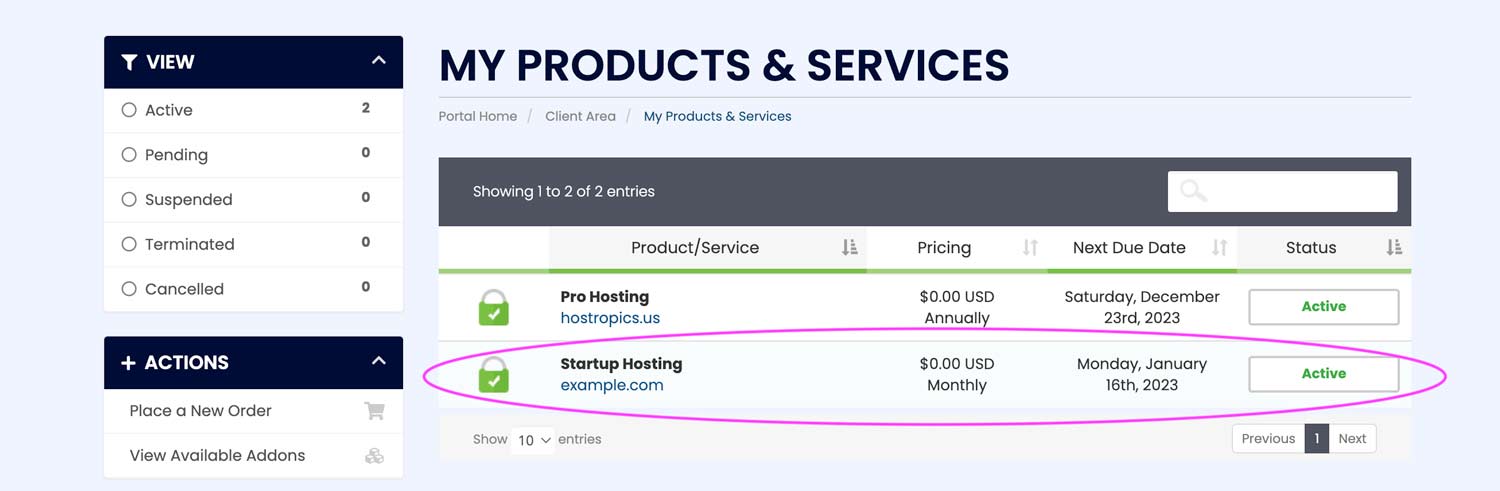
3) Select the product or service you would like to cancel.
In this example, we've selected our Startup Hosting plan with example.com
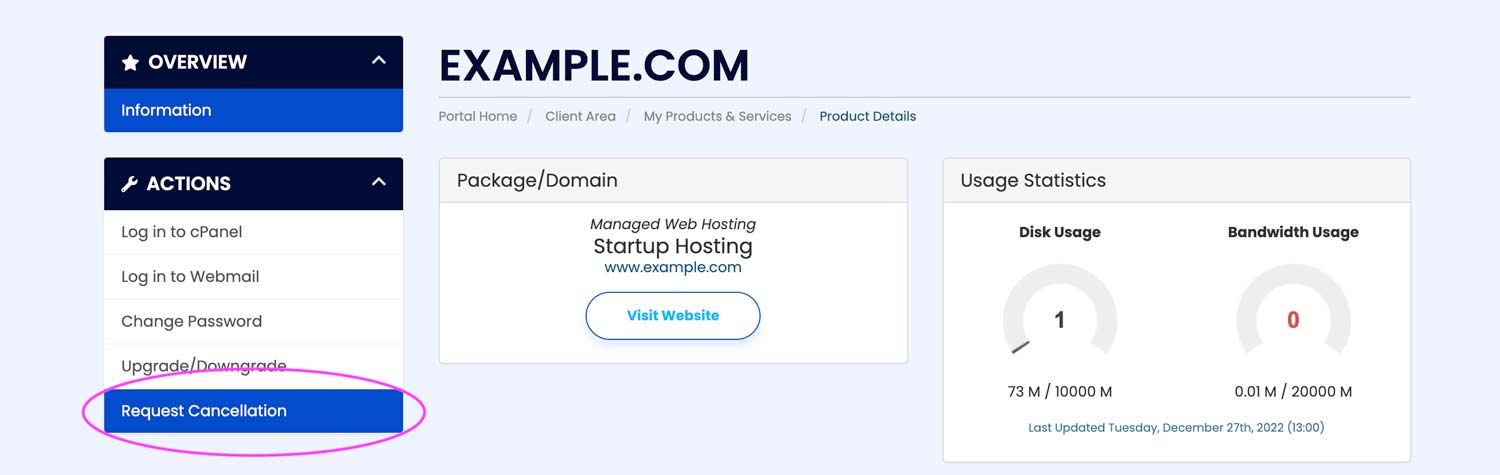
4) From the "Actions" menu on the left hand side of the screen, select Request Cancellation.
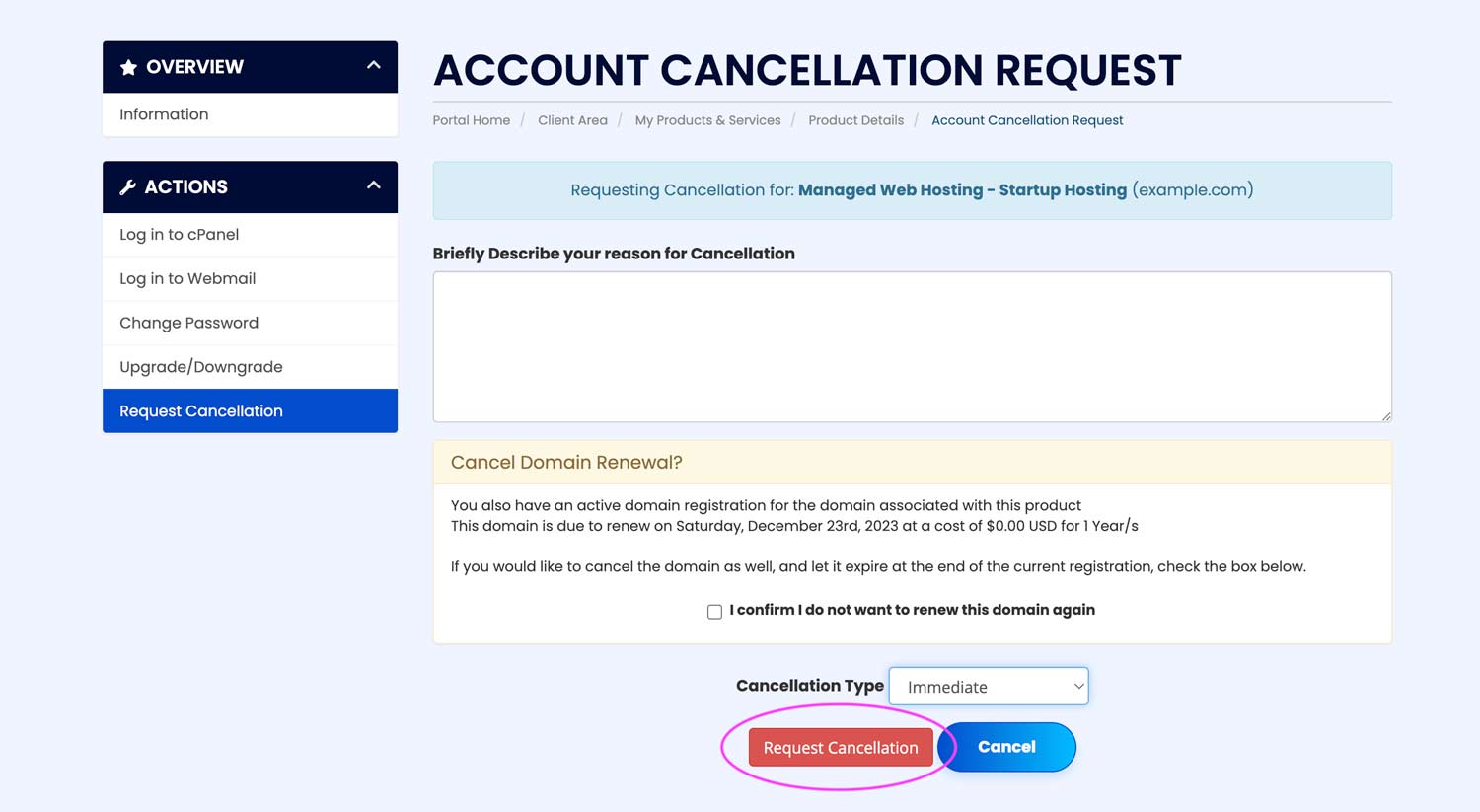
5) Fill out the cancellation request form.
-
Reason: Describe your reason for canceling (i.e. no longer in business, upgraded, etc.)
-
Cancel Domain Renewal (optional): This option enables you to also cancel the auto renewal on the domain if it comes with your service. Leave the box unchecked if you plan to keep the domain.
-
Cancellation Type: If you wish to cancel your product or service right away, select "Immediate". If you wish to cancel your product or service at the end of the billing period, select "End of Billing Period".
6) Complete your request by clicking the Request Cancellation button.
Warning: Once this process is completed, your product or service will be terminated in accordance with your request, and all data and files associated with the service will be deleted. Should you wish to withdraw your cancellation request, please contact us immediately, however, please note that we cannot guarantee the restoration of your data and additional charges may be incurred to restore from a backup.
